
MAX PRO36 TM-500 MFP
Scan, Copy, Print and Edit System
A complete MFP solution with a powerful external controller and an easy to use touch screen interface.
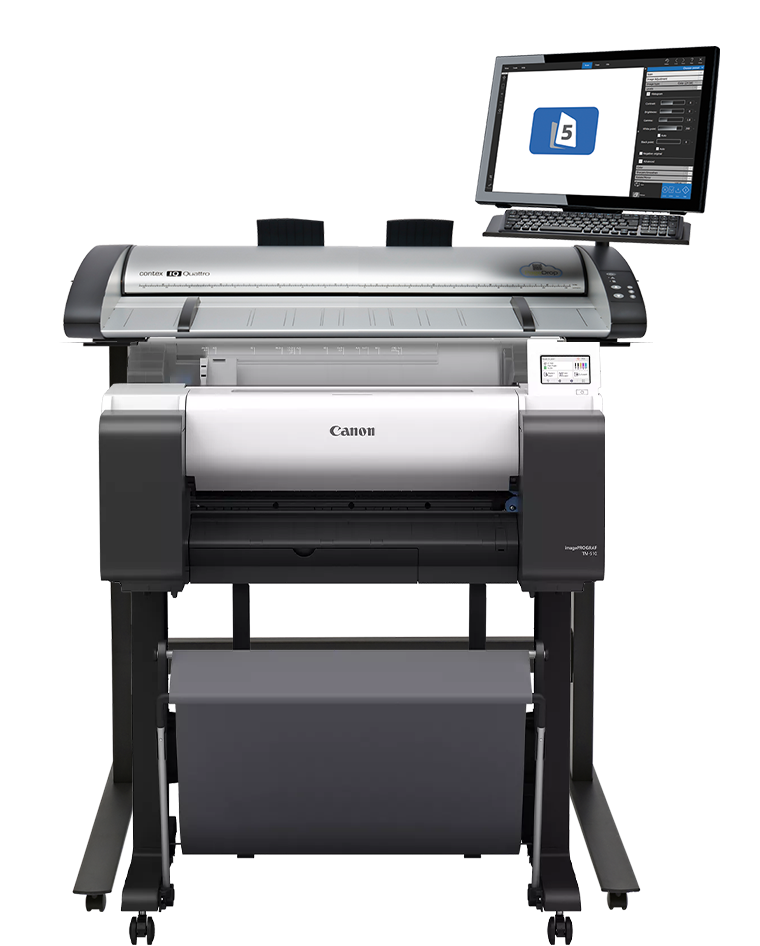
The Max PRO36 TM-500 is a full-featured MFP solution for scanning, copying, sharing and enhancing. You get outstanding image quality, with real-time view of enhancements and automatic cleanup of faded, dirty, or poorly shaded documents. Ideal for high volume production environments.
Key Features:
- 1200 dpi scanning
- 1200 dpi printing
- 36” Scan, 24" Print and Copy
- 21" Touch Screen
- Advanced On Screen Editing Tools
- Batch Mode for higher volume jobs
- Real time image adjustments - no re-scanning
- Create custom presets for time saving
- Scan to copy, file, cloud and email
Printer Overview
The imagePROGRAF TM Series offers versatility and productivity all in a compact design. With a wide range of configurations, the TM Series has everything you need to easily produce CAD documents, posters, banners, flyers,
and more.
- Up to 2.9 Arch D per minute
- 24" (609MM) print width
- New MBK Lucia TD ink
- Colour calibration
- Flat body design
- Automatic paper detection
- Sub ink tanks
- Tilt adjustable 5" interface screen
- EPEAT Gold and Energy Star certified
Scanner Overview
The IQ Quattro 3620 packs a huge amount of wide format value into its compact 36”, portable package. With its lightweight design and exceptional ease of use , it is a must-have scanner for any office that wants to save time and money by scanning oversized maps and technical drawings in-house.
HIGH PRODUCTIVITY
Designed for the most demanding high-production environments
GREEN
Energy Star compliant using only 0.5 W in standby mode
COMPATIBLE
Compatible with AutoCAD®, ESRI® and many other software applications
ADJUSTABLE
Adaptable floor stands for stand-alone and MFP configurations
KEY FEATURES
• Up to 1200dpi high resolution scanning
• Compact, lightweight design
• Programmable One-Touch buttons – common tasks can be assigned to 3 simple buttons
• All-Wheel-Drive (AWD) for a perfect grip on your documents
• Exceptional productivity, scanning up to 336 D-size colour documents per hour
• See what you scan with face-up scanning
• SmartShare function for scanner sharing across a network, and sending files to remote PCs
• ENERGY STAR compliant, using less than 4W in standby
• Nextimage – powerful sharing, archiving, and copying in one application

Nextimage 7 is more than just scanning software. Designed to optimize results for every use Nextimage brings out unseen details and restores even the faintest originals. Scan in vibrant color in sRGB, Adobe RGB or even full 48-bit with selected scanners. Capture and improve maps using advanced color reduction options. Digitize and restore monochrome originals with unique adaptive filters and advanced background suppression.
FEATURES YOU'LL LIKE
SnapScan
You only have to scan your original once, instead of having to do it every time something changes.
Batch Scanning
Feature means you don’t have to press ‘scan’ every time you feed the scanner with a new original when scanning batches of paper.
Auto rotate
Aligns your originals. You can even mark areas on the scan you want to align with using the ‘align to measure line’ .
Soft handle
Is what you need if you want to take extra good care of your fragile original. You know; lowering the speed, loading slower and rejecting the original as carefully as possible.
Printer compatibility
No large format scanner software has a longer list of printer drivers it is compatible with than Nextimage (REPRO).
Printer compatibility like no other
Nextimage support more than 300 printer drivers
Improve your files
Clean and brighten both new originals and low contrast blueprints
Enhancement tools
Nextimage comes with a B&W algorithm which combines background cleaning and preservation of grayscales in one mode. Useful for cleaning up new originals and for low contrast blueprints.
Colour palette tool
With the palette tool, you can pick and reduce colors producing extra crispy scans while dramatically reducing files size of scanned documents.
Black/White point control
Brighten up your scans by controlling the darkest /lightest point of your scans by adjusting the black / white points.
Closed loop calibration (CLC)
Nextimage comes with built-in closed loop calibration for managing colors when making copies. The CLC wizard helps you create a media profile which is optimized for the particular media in the printer. Simply print a reference pattern on your printer, and then scan it to create the perfect relationship between your scanner and printer.
ICC colour management
Nextimage supports ICC/ICM profiles. It can embed ICC profiles in scanned files, whether it is JPG, JPEG 2000 or TIFF, preserving colors when files are loaded into other applications.