
MAX ONE36 TM-610 MFP
Scan, Copy, Print and Edit System
A complete MFP solution with a built-in controller and an easy to use touch screen interface.
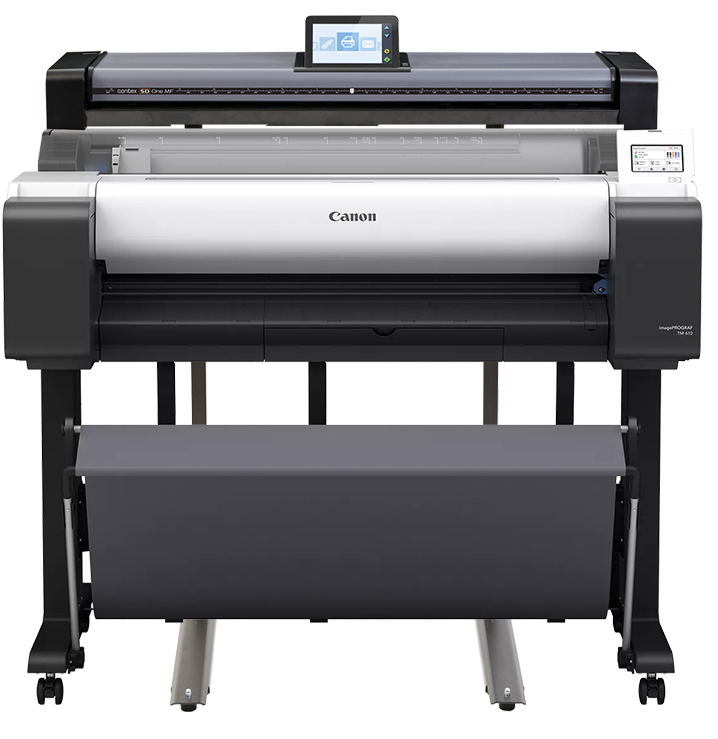
Max ONE36 TM-610 MFP is a new concept in MFP solutions. Centered around you, every user has a unique personal profile with their preferences stored, allowing you to email, scan or save to your preferred folder or personal Cloud in just one step
Key Features:
- 600 dpi scanning
- 1200 dpi printing
- 36” Scan, Print & Copy
- On Screen Markup Tools
- On Screen Cropping
- Built-In Controller, no PC required
- PC & Mac drivers
- Easy to Use Touch Screen
- Scan to copy, file, usb and cloud
- Wifi enabled
Printer Overview
The imagePROGRAF TM Series offers versatility and productivity all in a compact design. With a wide range
of configurations, the TM Series has everything you need to easily produce CAD documents, posters, banners, flyers,
and more.
- Up to 3.2 Arch D per minute
- 36" (914MM) print width
- New MBK Lucia TD ink
- Colour calibration
- Flat body design
- Automatic paper detection
- Tilt adjustable 5" interface screen
- Sub ink tanks
- EPEAT Gold and Energy Star certified
Software
Direct Print and Share
Sharing ideas has never been easier with Canon’s Direct Print & Share software. Direct Print and Share is a cloud portal and batch printing solution that helps you to expand your printing workflow. This software allows you to upload documents to your cloud account using any WebDAV compliant cloud service, and print the uploaded documents from almost anywhere. The Shortcut Print feature allows you to drag and drop into a folder and the files will start printing automatically.
Free Layout Plus
New! Nest, tile and create custom layouts before printing your files with this print utility. Use the plug-in feature to print directly from Microsoft Office programs.
Accounting Manager
Accounting Manager software serves as a powerful feature that can help users accurately manage their printing costs.
With the Accounting Manager software you can track how much ink and paper is being consumed when printing in large format jobs. Costs can be assigned to ink and paper to determine expenses based on your own “Cost of Goods”. Each individual ink tank and each paper type can have its own cost associated to it. The user can also input a variable cost that will be added to the total of the print cost. The data is exportable to a .csv format for Microsoft Excel® so the data can be used for billing purposes. This feature will allow you to determine the cost of each print based on your actual cost..
Poster Artist Lite
You don't need to be a graphic designer to create your own posters. Canon's PosterArtist Lite software gives you the ability to quickly and easily create professional large format prints that can be used in applications such as office presentations, posters, banners, retail signage, and much, much more.
AutoCAD Optimized Printer Driver
This specialized driver is compatible with a variety of AutoCAD software products and helps enable optimal printing productivity and reliability from the AutoCAD software. Through this module, the processing and printing time associated with printing AutoCAD files to the imagePROGRAF printer is decreased to approximately one-third of the time associated with printing AutoCAD files through the previous Canon HDI Driver! The module also has a user-friendly interface that includes familiar features such as free layout, test printing, and 1200 dpi rendering. This module is automatically loaded when printing is attempted from AutoCAD, helping to ensure a smooth workflow with optimal printing results each time.
Device Management Console
This software allows users to continually monitor information such as the printer status and colors being used to print.
Media Configuration Tool
Manage, update and arrange media information in the operation panel and printer driver.